

01
Add your bottles
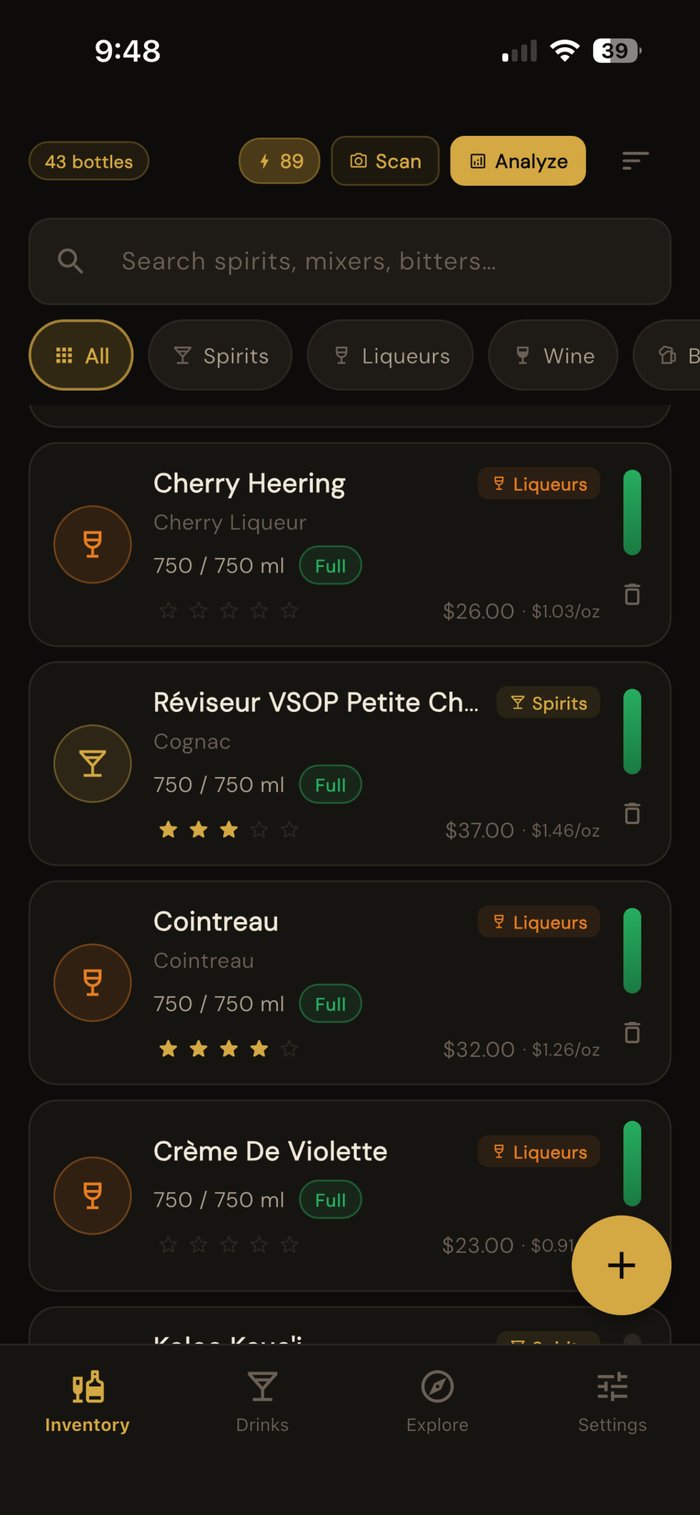
Add what's on your shelf by searching the catalog, scanning a label with the camera, or entering it by hand. Capture brand and variant so matching stays accurate.
How it works
CocktailVault is built to be useful the moment you finish adding your bottles. Here's the whole flow.
Add what's on your shelf by searching the catalog, scanning a label with the camera, or entering it by hand. Capture brand and variant so matching stays accurate.
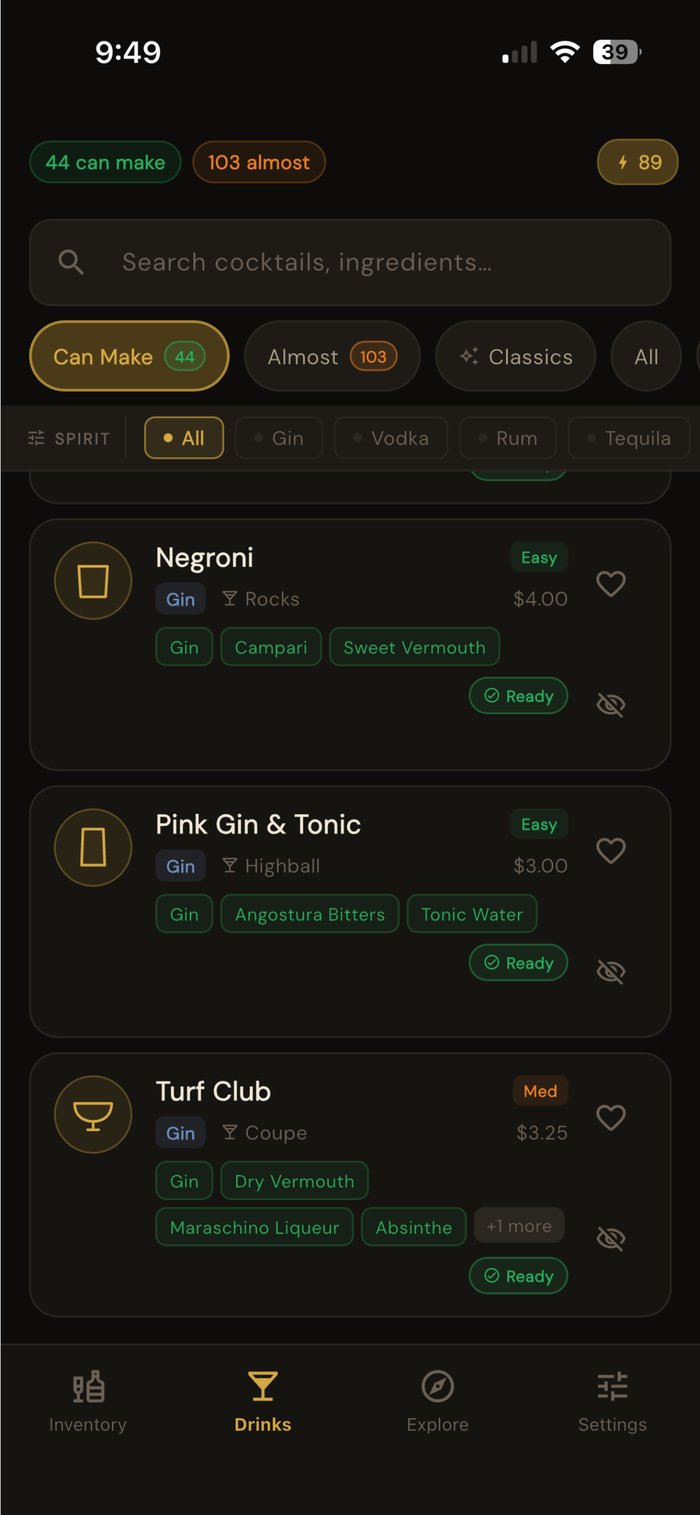
The Can Make list fills in automatically from your inventory. Filter by Almost, and you'll see exactly what you're one bottle away from.
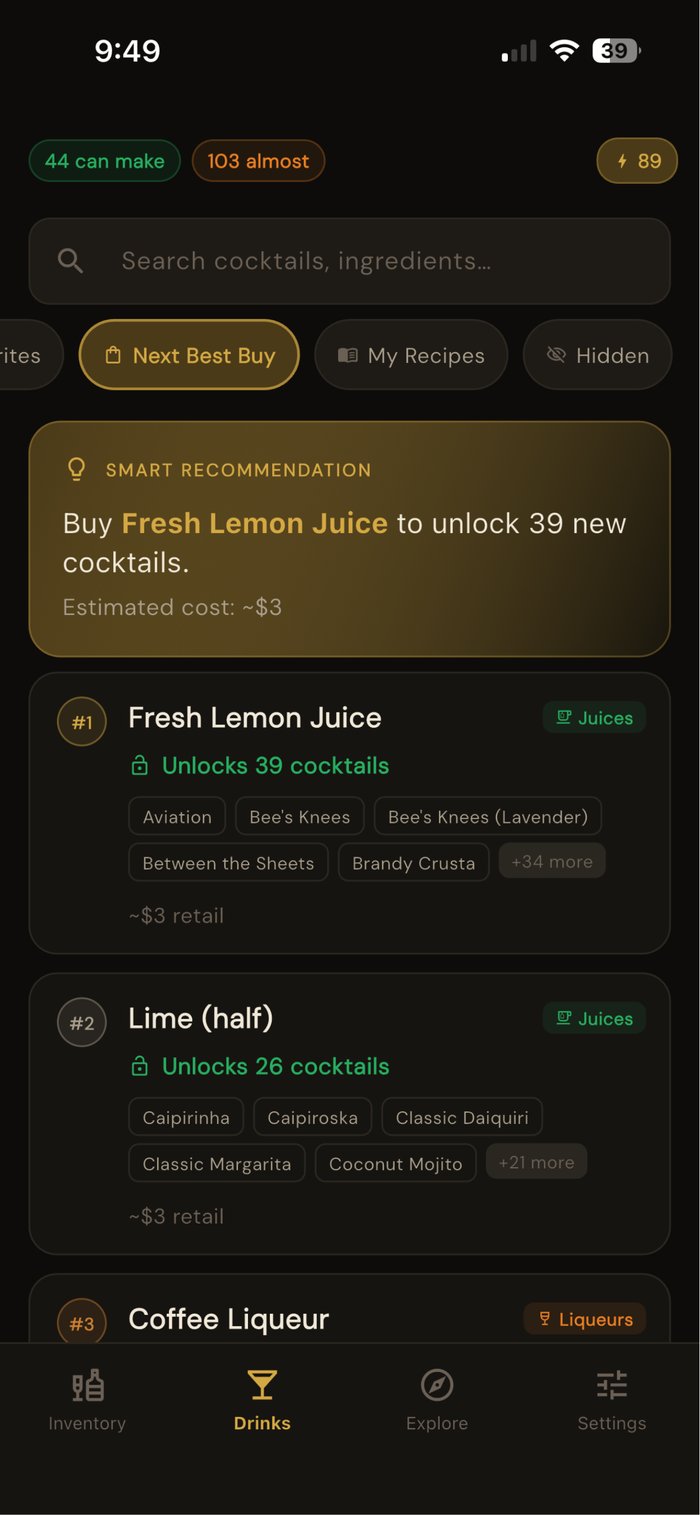
The Next Best Buy list ranks bottles by how many new cocktails each one unlocks, so your next purchase is the one that opens up the most drinks.
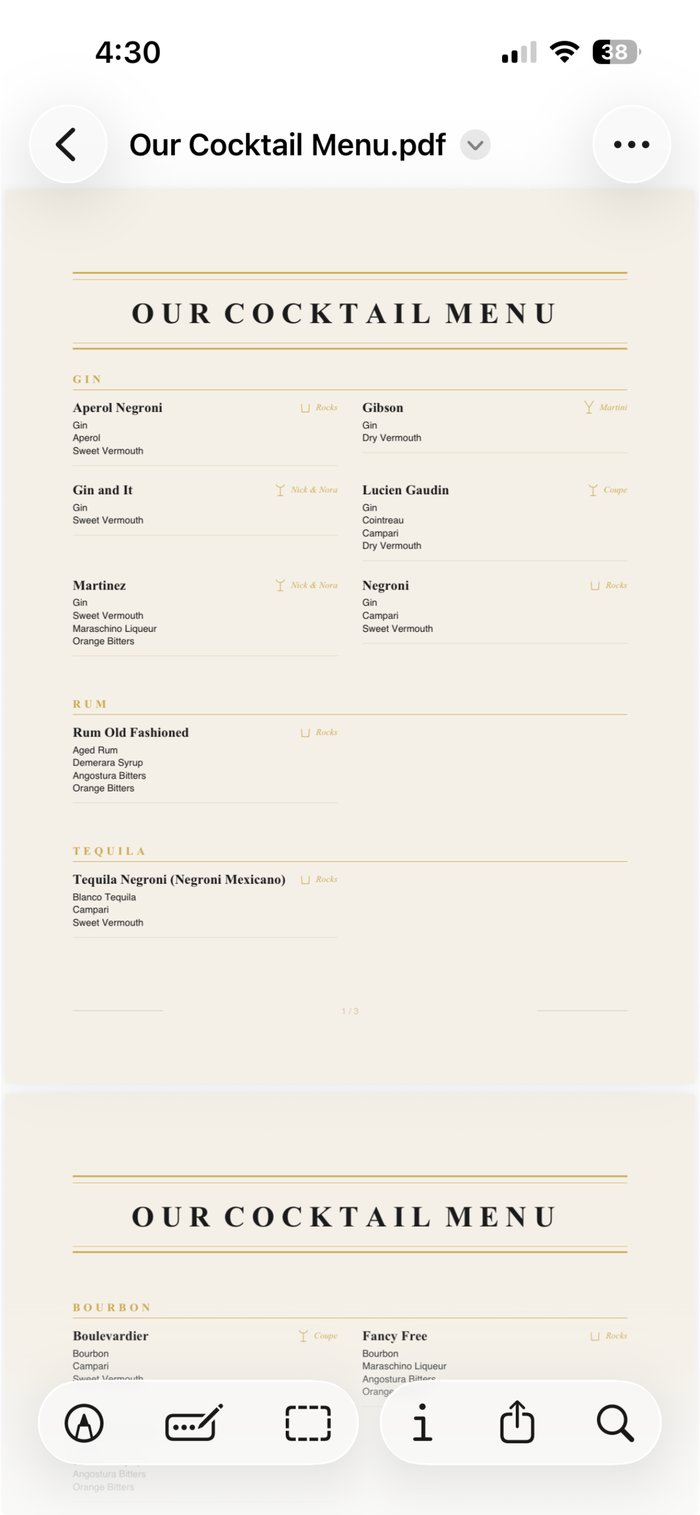
Pick the drinks you want to offer, and CocktailVault builds a clean printable menu. Great for parties, so guests order like they're at a real bar.
Setup questions
Take a photo of your shelf, and the AI scan picks out the bottles in it, several at a time.
You then tick the bottles you want from a checklist and confirm each one, so nothing is added by mistake.
Each scan uses one AI token. Your purchase includes 75 tokens, and searching the catalog by name is always free.
Enter it by hand with its name, brand and size. Recipes still match it by name.
So a bottle you call Hendrick's Gin counts wherever a recipe asks for gin.
Matching only works one way, though. A bottle named plain Syrup won't stand in for Jalapeño Syrup.
Can Make lists the drinks you have every required ingredient for. Almost lists the drinks missing exactly one.
Optional ingredients never count against you, and plain water is always treated as on hand.
Buy that one missing bottle, and the drink moves from Almost to Can Make.
Yes, for close swaps. Any rum can stand in for another rum. Bourbon, rye and Irish whiskey stand in for each other, and Scotch swaps with Japanese whisky.
A drink made with a substitute still shows as ready. The swapped ingredient is marked in amber, so you know before you pour.
Some bottles have no fair stand in, so nothing substitutes for them. Mezcal, peated Scotch, Aperol and Amaro Nonino are examples.
Yes, but each one is a single switch. Find fresh lime and lemon juice under Juices, simple syrup under Syrups, and things like sugar and milk under Staples.
Switch on what you keep at home, and every recipe that needs it updates right away.
It counts the drinks where that bottle is the only thing you are missing. Then it ranks your top 10 by that count.
Say you have gin and Campari but no sweet vermouth. The Negroni counts toward sweet vermouth, because buying it finishes the drink.
A drink that still needs two or more bottles doesn't count. So the number shows what one purchase really unlocks.
CocktailVault divides what you paid for a bottle by its size, then multiplies by the pour in the recipe.
Enter the price when you add a bottle. Scale a recipe for a group, and the cost scales with it.
More than 600, from classics like the Negroni and Daiquiri to tiki drinks, hot drinks and zero proof recipes.
New recipes arrive on their own when you open the app. You don't need an update or an account for them.
Yes, if you sign in. Your bar then syncs through your account, so your phone and iPad stay the same.
Without an account, everything stays on the one device you set it up on.
Mostly, yes. Your bar, every recipe, the Can Make list and your menus all work offline.
The AI scan and the AI Bartender need a connection. If you're offline when you try them, no token is used.
PRO TIPS